Documentation


Core
LM Studio REST API
Core
LM Studio REST API
You can configure server settings, such as the port number, whether to allow other API clients to access the server and MCP features.
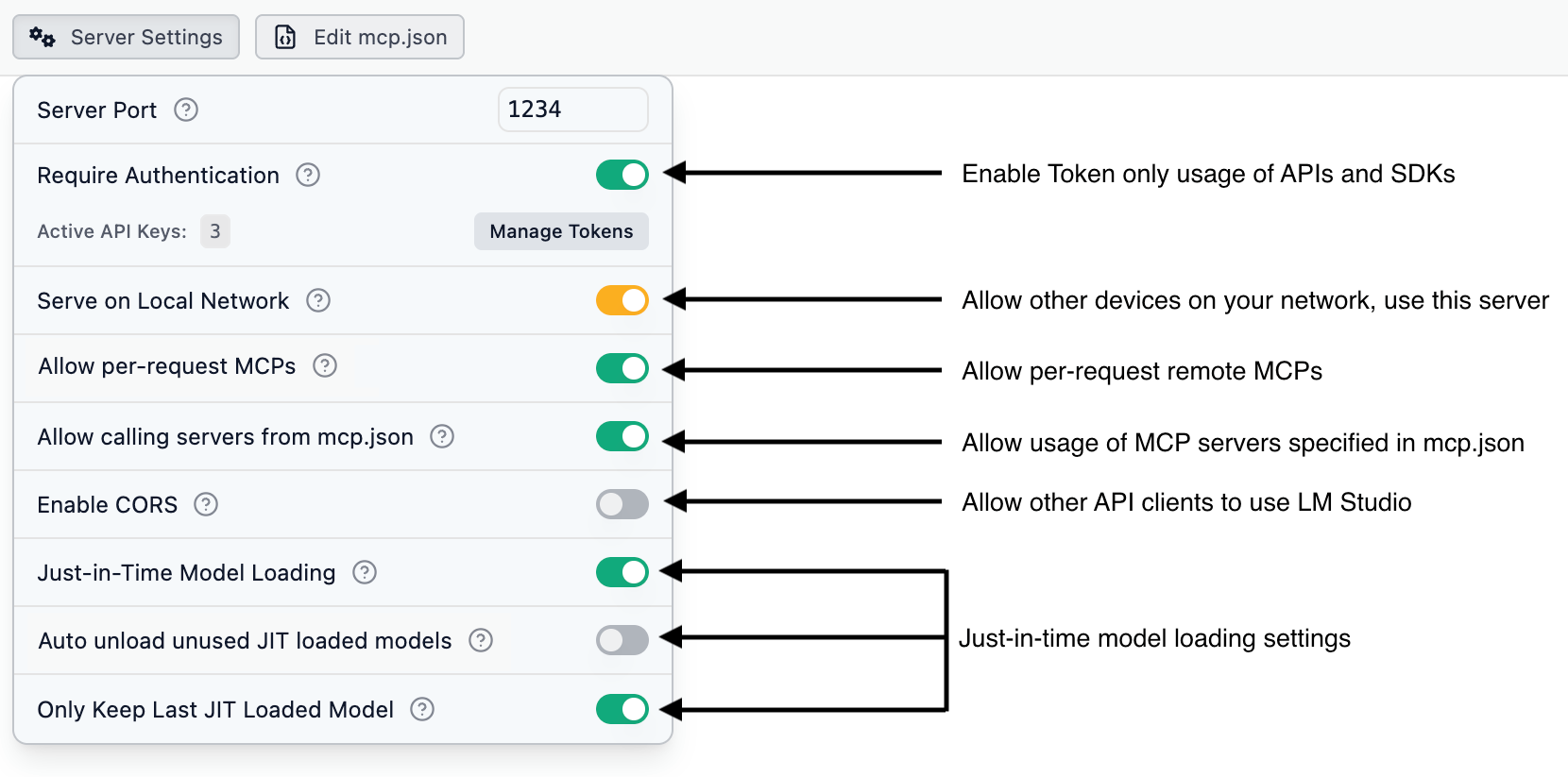
Configure LM Studio API Server settings
Settings information
Server Port : Integer
Port number on which the LM Studio API server listens for incoming connections.
Require Authentication : Switch
Require API clients to provide a valid API token via the Authorization header. Learn more in the Authentication section.
Serve on Local Network : Switch
Allow other devices on the same local network to access the API server. Learn more in the Serve on Local Network section.
Allow per-request MCPs : Switch
Allow API clients to use MCP (Model Control Protocol) servers that are not in your mcp.json. These MCP connections are ephemeral, only existing as long as the request. At the moment, only remote MCPs are supported.
Allow calling servers from mcp.json : Switch
Allow API clients to use servers you defined in your mcp.json in LM Studio. This can be a security risk if you've defined MCP servers that have access to your file system or private data. This option requires "Require Authentication" to be enabled.
Enable CORS : Switch
Enable Cross-Origin Resource Sharing (CORS) to allow applications from different origins to access the API.
Just in Time Model Loading : Switch
Load models dynamically at request time to save memory.
Auto Unload Unused JIT Models : Switch
Automatically unload JIT-loaded models from memory when they are no longer in use.
Only Keep Last JIT Loaded Model : Switch
Keep only the most recently used JIT-loaded model in memory to minimize RAM usag
This page's source is available on GitHub